
Mahjong Classic: Tile Puzzle
NiuAIGOBoard
4.7194.00 Reviews
- Version
- 1.1.2
- Installs
- 100.00K
- Age Rating
- Everyone
Screenshots
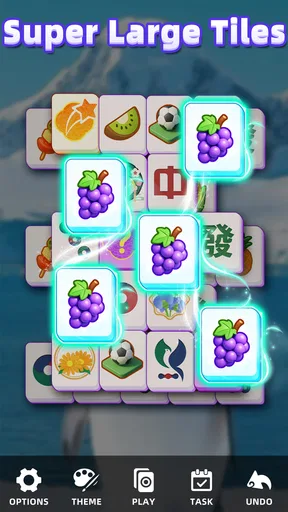
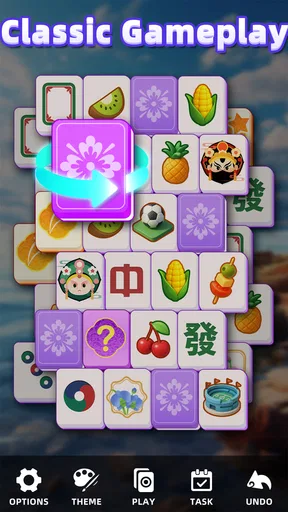
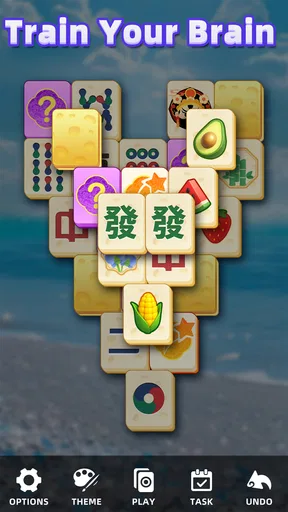
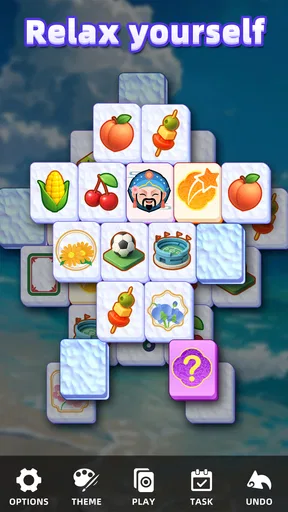
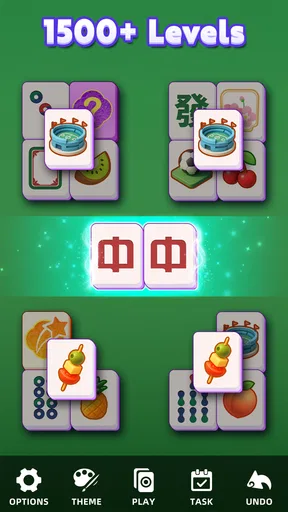
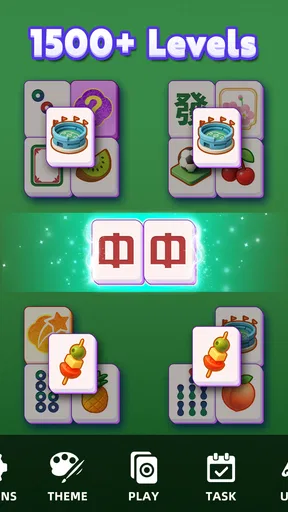
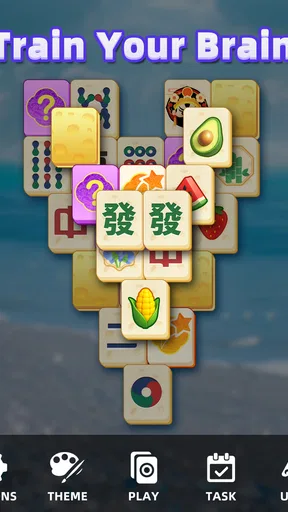
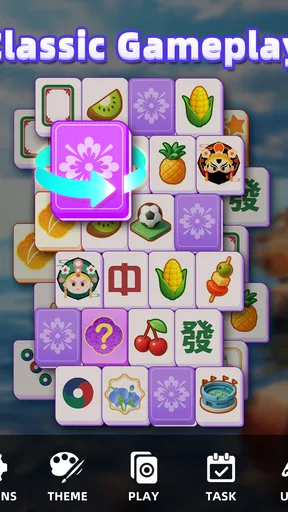
Our Review of Mahjong Classic: Tile Puzzle
 Analysis by Appyee
I spent time with Mahjong Classic: Tile Puzzle as a quiet, traditional board game rather than a competitive multiplayer experience. Its basic appeal is easy to understand: match identical mahjong tiles, remove them from the layout, and keep working until the board is clear. That familiar loop makes it a natural choice when I want something calm that still asks me to pay attention.
The game comes from NiuAIGO and is available free of charge for Android users. It is aimed at Everyone, so the presentation is approachable for a broad audience, including people who have never played a digital mahjong puzzle before. The current version is 1.1.2, and it runs on Android 7.0 or later. Those details matter because this is the kind of title people often install on an older spare phone or tablet for short sessions.
My overall impression is positive, with one important qualification: this is best understood as a focused tile-matching pastime. It is not the right pick if you are looking for deep strategy, a story, online competition, or a large collection of unrelated mini-games. If you enjoy visually scanning a board, planning a few moves ahead, and gradually clearing a layout, however, it has the right kind of simple pull.
How Mahjong Classic feels during everyday play
I find the everyday appeal of this tile puzzle comes from how easily I can settle into its quiet routine: inspect the layout, choose a matching pair, and see the board open up. It suits brief pauses as well as a calmer moment at home, though a small screen can make careful scanning less comfortable. That balance between convenience and concentration is what shapes the pace of each session.
A gentle game that rewards attention rather than speed
The central task is straightforward, but the decisions become more interesting once several matching options are visible. I found myself checking which exposed tile should be removed first, especially when one pair could reveal another useful match underneath. That small layer of planning keeps the experience from becoming a mindless tapping exercise.
The pace is naturally controlled by the player. You can move quickly when the board is obvious, or pause over the arrangement and inspect the available choices. That makes it suitable for a short break, a quiet evening, or a moment when I want a game that does not demand constant urgency. It also means the perceived speed depends less on reflexes and more on how confidently you read the layout.
For a realistic everyday use case, I would reach for it while waiting for an appointment or winding down before sleep. A round can be approached in small pieces, and the basic rules are familiar enough that I do not need to relearn a complicated system each time I open it. The game works particularly well when I want concentration without the pressure found in action games or timed competitive puzzles.
What makes the board-clearing loop satisfying
The strongest part of the design is the gradual transformation of a crowded arrangement into an empty board. Each successful pair gives a small sense of progress, while a poor choice can leave fewer useful options later. I like that the objective remains visible throughout the session: the board itself shows exactly how far I have come.
A useful habit is to scan the whole layout before making the first move instead of immediately selecting the most obvious pair. I look for tiles that are blocking several others and prioritize moves that open space. This approach does not turn the game into a complex strategy title, but it makes the familiar rules feel more deliberate and helps reduce careless choices.
Another practical tip is to avoid focusing only on the frontmost matching pair. A match may be legal now but strategically unhelpful if it leaves a more important tile buried. When I slow down and compare two or three possible moves, the puzzle feels less repetitive. That is a meaningful strength for anyone who likes light planning rather than pure pattern recognition.
Speed expectations on different devices
Because the game is a compact board title with a simple visual purpose, I would expect it to feel lighter than visually demanding action games or large 3D releases. On a modern phone, the tile-matching interaction should be easy to approach, while an older device may make the experience more dependent on touch responsiveness and general system condition than on the puzzle itself.
The Android requirement includes devices running version 7.0 or newer, which gives the game a relatively broad compatibility range. That is useful if you are installing it on an older handset, but compatibility alone does not guarantee identical comfort on every model. Screen size, touch accuracy, and how crowded the layout appears can change the practical experience more than raw processing power.
On a smaller screen, I would pay close attention to whether individual tiles are easy to distinguish and select. A tablet may provide a more relaxed view of the whole arrangement, while a compact phone is more convenient for one-handed sessions. The trade-off is clear: portability favors the phone, but a larger display can make scanning and comparing exposed tiles less tiring.
What happens during longer or heavier sessions
The game’s most demanding moments are not likely to come from complicated graphics. They come from repeated board inspection, frequent tapping, and extended sessions in which the player keeps opening new layouts. In those circumstances, the important question is less whether the game can render elaborate scenes and more whether the interface remains comfortable when I continue playing for a while.
I would use a simple routine during a longer session: keep the screen brightness comfortable, pause after several boards, and avoid playing with a nearly full device if other apps are already struggling. Those are ordinary precautions, but they matter for a puzzle game because the appeal is its calm rhythm. Any distraction from a hot device, low battery, or a cluttered screen can undermine the relaxed experience.
Free games with optional purchases can also feel different depending on how a player approaches them. This title includes in-app purchases priced from $2.99 to $9.99 per item. I would treat those as an optional spending decision rather than part of the basic reason to install it. If you want a completely purchase-free routine, check the purchase prompts carefully and decide in advance whether you are comfortable using them.
For heavy use, I also recommend taking a moment before closing the game if you are in the middle of a board. Puzzle players often assume that every session will resume exactly where they stopped, but recovery behavior can vary after an interruption, a restart, or a system cleanup. I would not build a long uninterrupted play session around that assumption; short, self-contained sessions are a safer fit for the game’s casual nature.
Reliability and the practical question of recovery
A board puzzle earns trust through consistency. I want tile selections to feel deliberate, the board to remain readable, and the session to be easy to return to after a brief interruption. In my experience, the simpler format helps because there are fewer moving parts competing for attention than in a story-driven or online game.
Still, reliability is not only about whether an app opens. It also includes how forgiving the game feels when I make a mistake, switch to another task, or return later. I found the best way to use it is to treat each board as a focused activity rather than something that must remain active in the background all day. That matches its relaxing character and limits frustration if the phone needs to reclaim resources.
If the app is interrupted, I would first reopen it normally and check whether the current board is still available before assuming progress has been lost. I would also avoid repeatedly tapping while the interface is catching up, since rapid duplicate touches can make any touch-based puzzle feel less predictable. These are small habits, but they are especially useful on older Android hardware.
The developer, NiuAIGO, has positioned the game around a familiar and accessible format rather than an elaborate feature-heavy package. That simplicity is a reliability advantage in everyday use: there is less to learn and less interface clutter to manage. The limitation is that players wanting elaborate progression, social systems, or a constantly changing challenge may find the experience narrow after the initial novelty fades.
Resource demands and device constraints
I would classify this as a sensible candidate for a secondary device, provided that device meets the Android 7.0 minimum. An older phone with limited storage or modest hardware may be a better home for a board puzzle than for a demanding new release. Even so, the game still needs a comfortable touch surface and a display that lets you distinguish tile symbols without straining.
The most important device constraint is probably screen ergonomics. On a phone with a small or damaged display, a dense tile arrangement can become tiring because the player must repeatedly inspect small symbols. A larger phone or tablet should make the visual search easier, especially for people with less precise touch control. If portability is your priority, I would test the readability early rather than assuming every screen will feel equally good.
Battery impact is also worth considering in realistic terms. A simple board game should generally be a gentler choice than a graphically intensive title, but long sessions still consume power through the screen and touch interaction. I would not choose it solely as a battery-saving tool; I would choose it because the gameplay is low-pressure and easy to pause.
Storage and system age can influence the experience too. The game is free to install, but free does not mean every device will feel identical. Keep the operating system updated when possible, close unusually demanding background apps if the phone is sluggish, and leave enough room for normal system operation. Those steps improve the odds of a smooth session without pretending that every performance issue comes from the game itself.
How it compares with other mahjong and puzzle choices
Compared with traditional four-player mahjong apps, this is a much simpler proposition. You are matching tiles to clear a layout, not managing a full hand, calculating scores, or competing against opponents. That makes it easier for newcomers and better suited to quiet solo play, but less satisfying for someone who specifically wants the rules and tension of the tabletop game.
Compared with match-three puzzle games, the appeal is more thoughtful and less dependent on cascading effects or rapid combinations. Mahjong Classic: Tile Puzzle asks me to examine the arrangement and consider access, while match-three games often reward quick pattern spotting and chain reactions. Neither style is automatically better; I would choose this one when I want a slower visual puzzle without the noise of constant effects.
It also differs from large puzzle collections that rotate between word games, number challenges, and arcade tasks. A dedicated tile-matching game can feel more focused, and that focus is exactly why it works for a short decompression routine. The trade-off is variety. If you need a single app to prevent boredom through many different modes, another puzzle collection may offer better long-term breadth.
People who dislike repetition should think carefully before installing it. The basic pleasure comes from refining how you inspect and clear boards, not from a dramatic narrative or a changing cast of characters. I would recommend it to players who enjoy familiar rules with small tactical decisions, and I would steer away from it if you need constant novelty, multiplayer interaction, or a strong sense of progression.
Who will get the most from this free board game
This is a good fit for casual players, older family members who want an approachable digital pastime, and anyone who enjoys mahjong-style layouts without learning a full competitive rule set. The Everyone age rating supports that broad positioning, although individual comfort with small symbols and touch controls will still vary by device.
It is also useful for people who prefer games that can be played without sound or without committing to a long story. I can imagine keeping it installed for waiting rooms, travel downtime, or brief breaks when a social feed feels too distracting. The board gives my attention a clear target, but the game does not ask me to remember a complicated plot or maintain a team.
I would skip it if you want a demanding brain-training system with detailed explanations of skill development, or if you expect a highly competitive online environment. I would also hesitate if optional purchases make you uncomfortable in any free game. The presence of items costing $2.99 to $9.99 means it is worth maintaining a clear personal boundary around spending rather than tapping through prompts automatically.
What the rating and adoption suggest
The game holds a 4.7 average from around 1K ratings, with 194 written reviews, and it has passed 100K installs. Those figures suggest that the straightforward concept has found a meaningful audience, while the written feedback can help potential players understand how others respond to the experience. I see the numbers as encouraging, but not as a substitute for deciding whether this particular style of puzzle suits you.
Its release on Jul 16, 2025, and current version 1.1.2 place it in a relatively recent stage of its life as a mobile game. That makes the version number useful when troubleshooting or comparing your installation with someone else’s. If two people report different behavior, checking that both are using the same version is a sensible first step before blaming the device or the game.
My performance verdict after using it
Mahjong Classic: Tile Puzzle succeeds because it keeps its purpose clear. I open it to inspect tiles, make careful matches, and enjoy the gradual relief of an empty board. Its likely performance profile suits casual Android use, especially on devices that meet the Android 7.0 requirement, but I would judge comfort through screen readability, touch precision, and session stability rather than expecting identical results from every phone.
The strongest practical advice is to play slowly, scan for moves that unlock several tiles, and use a larger screen if small symbols become tiring. Keep sessions reasonably contained if you are concerned about interruptions, and treat the optional purchases as a deliberate choice rather than a requirement. Those habits bring out the game’s calm side while reducing the main sources of friction.
My final recommendation is favorable for anyone seeking a free, solo board puzzle with a relaxed pace and familiar mahjong-inspired rules. It is not a replacement for competitive mahjong, a deep strategy game, or a varied puzzle suite. But for a quiet break on a compatible Android device, Mahjong Classic: Tile Puzzle offers a focused way to occupy your hands and your attention without demanding a large time commitment.
Verdict
Strengths of Mahjong Classic: Tile Puzzle
- Simple rules make it easy for beginners to start playing.
- Relaxing gameplay works well for short breaks or casual sessions.
- Many tile layouts provide variety beyond the classic board.
- Offline play is convenient when no internet connection is available.
- Clear tile designs make matching pairs comfortable on most screens.
Limitations of Mahjong Classic: Tile Puzzle
- Some layouts may feel repetitive after extended play.
- Undo or hint features may be limited or tied to advertisements.
- Small tile symbols can be difficult to distinguish on compact phones.
- Difficulty can vary noticeably between boards.
- Frequent ads may interrupt the flow in the free version.
Other Releases by NiuAIGO
View All
Spider Solitaire - Card 2026
Card4.5
Similar Picks in This Category
View All
Ludo King®
Gametion4.1

Ludo
Yarsa Games4.6

Tile Master® - Matching Game
Higgs Studio3.6

Checkers Online
CC Games4.6

Dominoes
Loop Games4.7

Chess
Chess Prince4.6
Frequently Asked Questions
What is Mahjong Classic: Tile Puzzle, and how is it played?
Mahjong Classic: Tile Puzzle is a single-player matching game based on the traditional Mahjong solitaire format. You clear the board by finding identical, free tiles and removing them in pairs. A tile is usually considered free when it has no tile covering it and at least one side is open. The objective is to remove every tile while planning carefully, because selecting the wrong pair can block future moves.
Is Mahjong Classic: Tile Puzzle suitable for beginners?
Yes, the game is generally easy to understand for beginners because its core rule is simple: match two available tiles with the same design. The early layouts usually provide a gentle introduction, while later puzzles can require more observation and planning. Players who are unfamiliar with Mahjong should remember that this is a solitaire puzzle game, not the multiplayer version played with four people.
Does Mahjong Classic: Tile Puzzle work offline?
Many Mahjong puzzle sessions can typically be played without a constant internet connection, which makes the game convenient for travel, commuting, or relaxing away from Wi-Fi. However, certain features may still require connectivity, including advertisements, cloud synchronization, updates, leaderboards, or optional rewards. Before relying on offline access, it is worth testing a puzzle after temporarily disabling mobile data and Wi-Fi.
Are there hints, undo options, or other assistance tools?
Mahjong Classic: Tile Puzzle commonly includes helpful tools such as hints, tile shuffling, or undo functions, although their availability and limits can differ by version. These features are useful when the board appears stuck, but they may be restricted by a limited supply, an in-game currency, or a rewarded advertisement. Using assistance sparingly is recommended if you want the puzzles to remain challenging.
Is Mahjong Classic: Tile Puzzle free to download, and does it contain ads or purchases?
The game is generally offered as a free download, but free access may be supported by advertising. You may encounter banner ads, full-screen adverts between levels, or optional video ads that provide extra hints or other rewards. Some versions can also include in-app purchases, such as removing advertisements or obtaining additional assistance. Check the current store listing for exact pricing and payment details before downloading.
Play our best games!


